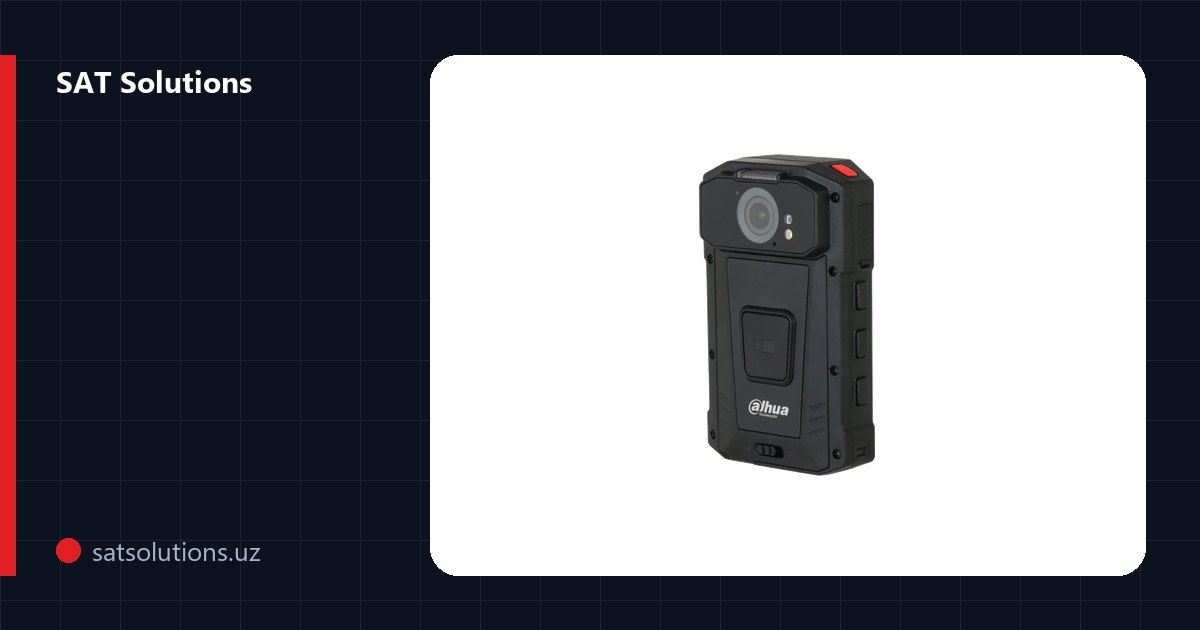
In short
- Body cameras resolve customer disputes from the recording in minutes and improve staff discipline.
- Match the camera to the job: 2K and H.265, a full-shift battery, IP67/IP68, infrared, GPS, and 4G if you need live view.
- Docks are essential: charging and automatic upload with no USB and no operator; docks = cameras in the largest shift ÷ 8.
- Under ZRU-547, keep the archive on servers in Uzbekistan; prepare the policy and inform staff before launch.
- SAT Solutions experience: 350 DH-MPT230 cameras for StreetParking and a state inspectorate; start with a 10–15 camera pilot.
Why companies adopt body-worn cameras
A body camera, also called a bodycam, body-worn camera or wearable camera, is a personal video recorder that an employee clips to the chest or shoulder for the whole shift. It captures video and audio of everything in front of the wearer: a conversation with a customer, a site inspection, the drafting of a report, a handover of cash or goods. Not long ago these devices were associated mostly with police patrols. Today they are bought by any organisation with a large field workforce: parking operators, inspectors and controllers, security firms, couriers, cash-in-transit teams, retail loss-prevention staff, construction supervisors and utility inspectors.
The number one reason is disputes. When a customer claims an inspector was rude or a fine was issued wrongly, one person's word against another's settles nothing, while a recording closes the question in minutes. The second reason is discipline: people who know their shift is being recorded speak to customers differently and follow procedures more closely. The third is protection against fraud and false complaints, and it works both ways: the footage protects the company from a dishonest employee and protects an honest employee from unfair accusations.
Safety matters too. A camera with an SOS button and location reporting lets the dispatcher see at once where a person is and what is happening, and in a tense situation the visible fact of recording often calms things down. Finally, video is evidence: it can be attached to a report, handed to a court or an insurer, and used to review mistakes and train new hires. What follows is practical advice drawn from SAT Solutions' own work: 350 Dahua DH-MPT230 body cameras across two projects.
Choosing a body camera: what to look for
Resolution. 1080p is enough to capture the general scene, but if you need to read licence plates, documents and small details, go for 2K (2560×1440). Higher resolution means bigger files, so check for H.265 support straight away: compared with H.264 it saves a noticeable amount of storage and upload time. A frame rate of 30 fps is the normal standard for a wearable camera.
Battery and housing. The camera has to last the entire shift, not half of it. Models with a built-in battery are simpler and lighter; models with an external battery handle long shifts. For example, the DH-MPT230 with a 3200 mAh external battery runs for up to 10 hours, lasts 150 hours on standby and recharges in about 3 hours. Outdoor work requires dust and water protection: IP67 survives rain and brief immersion, while IP68 is rated for harsher conditions. Automatic infrared night mode is a must, with a typical range of up to 10 metres.
Connectivity and controls. If it is enough to review footage after the shift, a camera without cellular service, with Wi-Fi and GPS, will do. If the dispatcher needs to see events live, you need 4G LTE, and in Uzbekistan such devices must be registered in the UZIMEI system. GPS/GLONASS shows where the employee was, and the physical buttons for record, photo, SOS and PTT (push-to-talk) should be easy to find by touch, with gloves on and without looking at a screen. Do not forget mounting: a clip, a magnet or a shoulder harness is chosen to suit the uniform.
The docking station is the heart of the system
The most common mistake is buying cameras without thinking about how footage gets off them. If staff plug cameras into a PC over USB at the end of each shift, over time some recordings go missing, some get deleted by accident and an operator spends hours copying files by hand. A docking station solves the whole problem: the camera goes into a slot, charges and automatically uploads every file to central storage, while time and settings are synchronised with no human involvement.
How many docks you need. Widely used models such as the Dahua DH-EEC300D8-N1 and DH-EEC400-D hold 8 cameras each. The method is simple: take the number of cameras returned for charging at the end of your largest shift, divide by 8 and round up. If shifts run back to back and each camera must be charged and offloaded before the next shift starts, factor in charging time as well (about 3 hours for the DH-MPT230). Place docks where staff start and end their shifts, so picking up and handing in a camera becomes part of the normal routine.
Storage is sized with a clear method rather than guesswork. Take the average size of one hour of footage at your chosen resolution and codec (the manufacturer provides it, or you measure it from a test recording), multiply by the average recording hours per shift, the number of cameras, the number of shifts per day and the retention period in days, then add headroom for growth. Retention has the biggest impact on the total, so set it in your internal policy up front instead of keeping footage for as long as space allows.
Software: what the dispatcher needs to see
Cameras and docks work together with a management platform. That can be Dahua DSS Pro or the customer's existing video management system, provided it supports body-worn cameras. Core functions include live view for 4G cameras, a map with staff locations, the status of every camera (charge, upload, errors), archive search by date, device, employee or zone, and group voice talk that turns the cameras into two-way radios.
Access rights matter just as much. Who may only view footage, who may download and share it externally and who may delete it are all set up as roles in the system, and every action on the archive is logged. The retention policy lives in the same platform: recordings older than the set period are deleted automatically, while flagged episodes, where the wearer pressed the button during an incident, can be kept longer.
The law and your employees: rolling out without friction
Video in which a person can be identified is personal data. In Uzbekistan its processing is governed by Law ZRU-547 “On Personal Data”. One of its key requirements is that personal data of Uzbek citizens must be stored on servers located within the country. In practice this means the body camera archive belongs on your own or local servers, not in a foreign cloud.
Before launch, prepare an internal policy on body camera use: when recording is mandatory, when it may be paused, who gets access to the archive and for how long, and how footage is released on request. Employees should be introduced to the policy in writing and sign to confirm it. Customers and visitors should be informed too: a sticker or badge reading “Video recording in progress” on the uniform answers most questions before they are asked.
Record the retention period and the list of people with archive access in the same document. These are practical recommendations from real deployments, not a legal opinion, so have a lawyer review the wording for your company. A properly drafted policy works in your favour: footage collected under clear rules is far easier to accept as evidence.
Case study: StreetParking, 150 cameras for Tashkent parking zones
For the operator of Tashkent's city parking zones, SAT Solutions supplied 150 Dahua DH-MPT230 body cameras in several deliveries starting in October 2025. The package included DH-EEC300D8-N1 docking stations with 8 slots each, DH-EEC300 data processing and control stations, and the Dahua DSS Pro platform with a base licence, per-channel video licences and a group voice talk module.
A shift works like this. The employee takes a charged camera from the dock, and time and settings sync automatically. In the parking zone the work is recorded with audio, and important moments are flagged with a single button. At the end of the shift the camera goes back into the dock, where charging and uploading of all footage to central storage happen on their own, with no operator, at upload speeds of up to 128 MB/s. Retention and access rights are set by DSS Pro policies.
The dispatch centre sees each camera's status, charge level and upload progress, and searches the archive by date, device and zone, while group talk links dispatchers and field staff in one voice network. The result: customer disputes are resolved from the recording in minutes, and manual uploading is a thing of the past.
Case study: a state inspectorate, 200 cameras with face and plate recognition
For a state inspectorate, SAT Solutions supplied 200 DH-MPT230 body cameras with software and 15 Dahua DH-EEC400-D docking stations. The contract was signed in October 2025, and the equipment was delivered in December 2025 to the inspectorate's administrative building in Tashkent.
The tender specification was demanding: 2K recording at 2560×1440 and 30 fps, H.265/H.264, 16 MP photos, 4G LTE with devices registered in UZIMEI, dual-band Wi-Fi 2.4/5 GHz, Bluetooth 5.0, NFC, GPS/GLONASS positioning accurate to about 5 metres, automatic infrared night mode up to 10 metres, IP68 protection, physical buttons for record, photo, IR, SOS and PTT, and two microphones. The 3200 mAh external battery delivers up to 10 hours of operation and 150 hours on standby and recharges in 3 hours. Face detection and automatic number plate recognition (ANPR) run on the camera itself against the customer's databases.
Live view, recording and archive playback run on the inspectorate's existing server, together with group voice talk and location monitoring. The DH-EEC400-D dock is an industrial Linux controller with a web interface, HDMI, FTP and an API; it takes 8 cameras at once and has two gigabit RJ-45 ports and four SATA bays with up to 16 TB. The warranty is 2 years through the official service centre in Uzbekistan.
Rollout plan and mistakes to avoid
Start with a pilot: 10–15 cameras at one site and a single dock. Within a few weeks you will know whether the battery lasts a real shift, whether the mount is comfortable, how much space the archive takes and how often footage is actually needed. After the pilot, refine the policy, assign the people who will review the archive, run training, and only then scale the system across the company. Smaller teams can start with a more compact option such as the Hikvision DS-MCW406/64G/GPS/WIFI: 2K, 64 GB of memory, GPS, Wi-Fi, infrared up to 10 metres and IP67 protection.
The same mistakes come up project after project: cameras bought without docks; footage offloaded by hand over USB; no retention policy, so the disk fills up quickly; the archive sent to a foreign cloud despite the localisation requirement; staff left untrained, so the camera is switched off exactly when a recording matters most. Each of these is solved at the design stage rather than after launch.
SAT Solutions selects the right equipment for your tasks, supplies cameras and docking stations, configures upload, storage and the software platform, and trains your staff and dispatchers. Send us a request, and we will put together the right kit for your team.
Product from this article
FAQ
What is a body camera, and what else is it called?
A body camera is a personal camera worn on the chest or shoulder that records video and audio of everything in front of the wearer throughout the shift. The same device is sold as a bodycam, body-worn camera, body-worn video (BWV) recorder or wearable camera. It is worn by staff who deal with customers on the street and on site: parking operators, inspectors and controllers, security guards, couriers and cash-in-transit teams. The footage helps settle a dispute in minutes, keeps staff disciplined and protects employees themselves from false complaints.
How is a body camera different from an ordinary video recorder?
A body camera is worn on the employee's clothing and has a rugged housing, a battery that lasts the whole shift, infrared night mode and physical SOS and PTT buttons. The real difference is the system around it: footage is uploaded automatically through a docking station to central storage, and archive access is controlled by roles in the management software.
How long does a body camera last on one charge?
It depends on the model and battery. The Dahua DH-MPT230 with a 3200 mAh external battery records for up to 10 hours, lasts 150 hours on standby and recharges in about 3 hours. Choose a camera with a margin over the longest shift in your company.
Do I need a camera with 4G?
If reviewing footage after the shift is enough, a camera with Wi-Fi and GPS plus upload through a docking station will do. 4G LTE is needed when the dispatcher must watch events live and keep voice contact with staff. In Uzbekistan, 4G devices are registered in the UZIMEI system.
How many docking stations do I need?
Divide the number of cameras returned for charging at the end of your largest shift by the number of slots per dock and round up. The Dahua DH-EEC300D8-N1 and DH-EEC400-D each have 8 slots. If shifts run back to back, also account for charging time.
Can body camera footage be stored in the cloud?
Video showing identifiable people is personal data. Law ZRU-547 “On Personal Data” requires personal data of Uzbek citizens to be stored on servers in Uzbekistan, so it is sensible to keep the archive on your own or local servers rather than in a foreign cloud.
What should be done regarding employees and customers?
Approve an internal policy on camera use, have employees read and sign it, inform customers with a “Video recording in progress” sticker or badge, and set the retention period and the list of people with archive access. Have a lawyer review the wording of the document.
Installation works cost calculator
Set the number of points — the calculator lays out a site plan and shows the range from our standard price list. One minute, no phone calls.
Read also



Related services
Catalog on the topic