Service
MikroTik Configuration in Tashkent
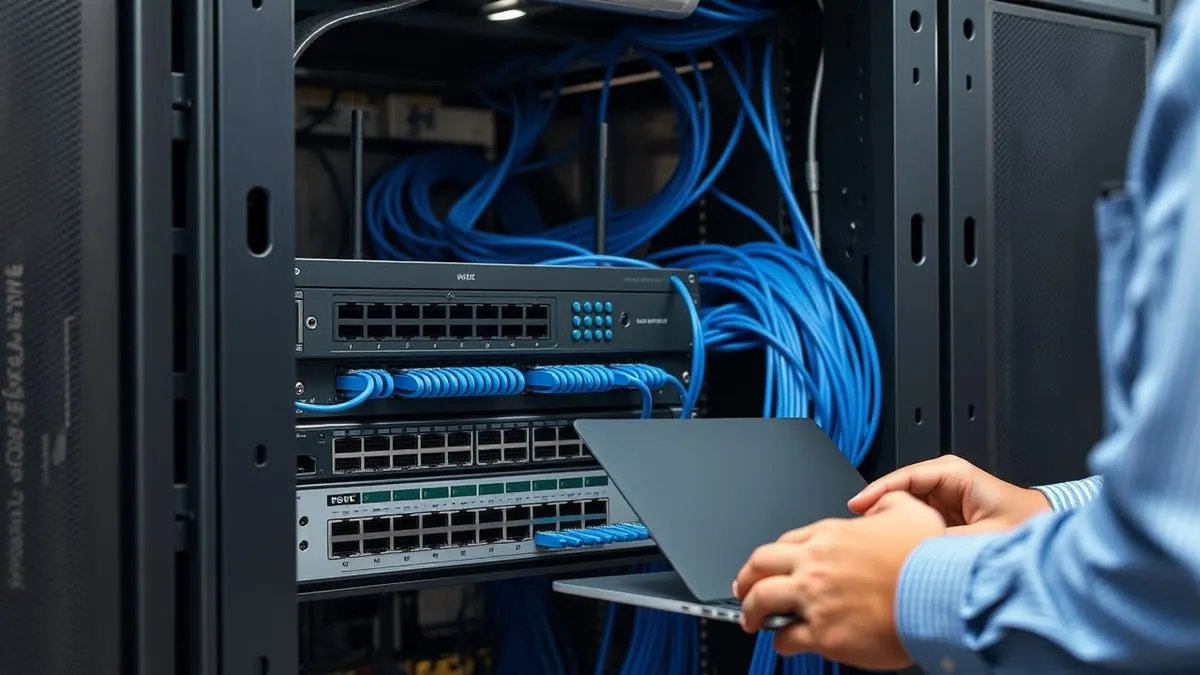
We configure MikroTik for business needs: dual-ISP failover, VLANs, VPN between branches, guest Wi-Fi, firewall and bandwidth limits. We track down "no internet" faults and put the configuration in order — with an audit, documentation and rules you can follow.
What's included
Scope of work
- Audit of current configuration and security
- Channel redundancy: two or more providers
- VLANs, VPN between offices, remote access
- Firewall, bandwidth limits, guest network
- Monitoring and ongoing support
MikroTik Router Configuration in Tashkent
MikroTik routers can do almost everything — provided the hands configuring them know what they are doing. SAT Solutions professionally configures MikroTik for offices, ISPs and enterprises: routing, VPN, firewall, channel balancing, Hotspot and traffic prioritisation. We take on both new devices and ones "set up by a neighbor" — with all the accumulated surprises.
The power of RouterOS is flexibility: one box replaces a router, a firewall, a VPN gateway and a Wi-Fi controller. The flip side is that in factory configuration it is neither secure nor optimal, and DIY mistakes repeat themselves: Winbox open to the internet, an admin password, no firewall rules and a three-year-old firmware with known vulnerabilities. Such routers join botnets by the thousand — we clean up the consequences regularly.
The baseline we always deliver: management access closed from outside, a firewall built on "deny everything not explicitly allowed", current firmware, a configuration backup and documented credentials. Then, per task: VLANs to separate office, guest and camera networks, DHCP with address reservations, port forwarding without security holes.
VPN is the most frequent business request. We join offices into one network over WireGuard or IPsec: branches see the head office servers and ERP as local, with traffic encrypted in between. Remote staff get access from laptops and phones — with certificates, not one shared password for everyone. Multi-WAN failover is automatic: the main ISP goes down, traffic shifts to the backup, and the office never notices.
Balancing and prioritisation solve the "internet exists but work is impossible" problem. We spread the load across several ISPs and shape bandwidth by task: video calls and the ERP get priority, updates and torrents get the remainder. For cafes, hotels and clinics we configure Hotspot with SMS or voucher authorisation and a guest network isolated from the working one.
For ISPs and large networks we offer more: OSPF/BGP routing, tunnels between nodes, QoS policies, load monitoring and alerts. We audit existing configurations with a written report: what is configured dangerously, what is suboptimal, what will break with growth. An audit often saves buying new hardware — the problem turns out to be the configuration, not the capacity.
We work on-site across Tashkent and remotely across all of Uzbekistan — MikroTik was made for that. Networks go onto subscription support: monitoring, updates, incident response, consulting. A configured network is handed over with a passport: diagram, addressing, credentials, configuration backups. Workmanship is under warranty — no "after us, the deluge".
Typical solutions
Three typical MikroTik tasks
Every site is priced individually: describe the task or send a plan — we will return a quote with an exact estimate within one business day.
A turnkey office router
An office up to 50 staff
- hEX/RB5009 setup: internet, VLAN, Wi-Fi
- A guest network separate from the working one
- A backup channel with auto-failover
- Remote access for support
Time: 1 day
A network with branches
A company with sites across districts
- VPN tunnels between offices (WireGuard/IPsec)
- Unified addressing and routing
- Traffic prioritization (QoS) for telephony
- Monitoring of all devices
Time: 2–5 days
A provider node
A residential complex, settlement, mini-ISP
- CCR routers with NAT-session headroom
- Billing integration, speed per tariff
- Node redundancy
- Administrator training
Time: per design
How we work
From task to a stable network — 5 steps
Analyzing the task
traffic, device count, channels
Choosing the model
from hEX to CCR — no overpaying
Configuration
VLAN, VPN, QoS, firewall
Redundancy
a second channel, auto-failover
Handover and support
documentation, monitoring, care
Equipment
MikroTik — from our Tashkent stock
Routers, CRS switches, cAP/wAP access points, SFP modules — the full range in stock.
How it works
How the system works
Related services
You may also need
Structured cabling & LAN
Structured cabling, Wi-Fi and IT infrastructure.
Wi-Fi Networks
Seamless coverage for offices, warehouses and outdoor areas — no dead zones.
Fiber Optic Lines
Fiber laying and splicing: backbones between buildings and floors.
Wireless Bridges
Internet and network between buildings without cable — up to 20+ km.
Equipment we install





How we work
SAT Solutions terms of work
Installation work is covered for 3 years; equipment for 1 to 3 years per the manufacturer. Warranty visits within one business day.
3 engineers and 15 installers on staff, no subcontractors. We work in Tashkent and across Uzbekistan.
Site visits in Tashkent are free and happen on the day you call. Regions by arrangement.
After the survey we prepare an estimate and a commercial proposal within one business day. No obligation.
Contract with a legal entity, invoice, VAT-compliant billing, acceptance acts and as-built documentation. We also work with private clients.
Security systems installation — National Guard of Uzbekistan licence No. 1554491. Fire alarm and evacuation systems — Ministry of Emergency Situations licence No. 913518. View licences
Questions & answers
Frequently asked questions
Can I configure MikroTik remotely?
How do I set up automatic failover to a backup provider?
Can I connect multiple office branches via VPN?
Why does my internet drop periodically?
Do you offer managed services?
Start a project
Need mikrotik setup?
We'll select equipment for your site and send a quote within one business day.