In short
- In 2025 Dahua fixed CVE-2025-31700 and CVE-2025-31701 (firmware built after 16.04.2025 is not affected), and Hikvision devices faced a new attack wave using 2017 and 2021 vulnerabilities.
- Unpatched devices exposed to the internet through port forwarding and UPnP are the ones that get hit.
- Remote access goes through the manufacturer's cloud or a VPN with no open ports; passwords are long and different, and staff have their own accounts.
- Firmware is checked quarterly from the official source; cameras sit on a separate network or VLAN without internet access.
- By law the system owner is responsible for protecting recordings; audits and updates fit neatly into a maintenance contract.
Why cameras get hacked and what the owner loses
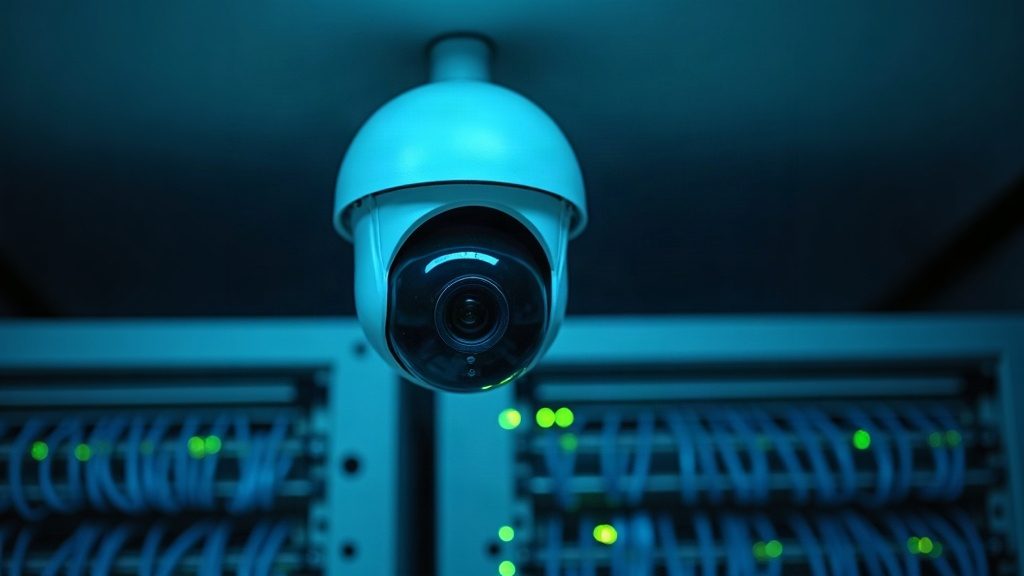
A camera and a recorder are small computers with an operating system, a network interface and a password. If they are reachable from the internet and never updated, automated scanners find them within hours. Attackers have different goals: to watch or download video, to enlist the device in a botnet attacking other sites, to use the camera as an entry point into the office network, or simply to wipe the archive.
For the owner this is not an abstract risk. A leak of footage showing people breaches personal data law, and the system operator — you — is responsible. A hacked recorder may stop recording on exactly the night the footage is needed. And a camera in a botnet eats the internet channel and sometimes gets your IP address blocked by the provider.
What happened in 2025
In summer 2025 Dahua published an advisory on two vulnerabilities: CVE-2025-31700 in the ONVIF protocol handler and CVE-2025-31701 in the file upload handler. Both are rated 8.1 out of 10: a specially crafted network packet can crash the camera and, on some models, lead to remote code execution. The affected series include the mass-market IPC-1XXX, IPC-2XXX, IPC-WX, IPC-ECXX and the SD3A and SD2A PTZ cameras; firmware built after 16 April 2025 is not affected. Fixes are available in the manufacturer's download centre, and devices with cloud upgrades receive them automatically.
For Hikvision, in September 2025 researchers recorded a new wave of exploitation attempts against old vulnerabilities: CVE-2017-7921, fixed back in 2017, and CVE-2021-36260, fixed in September 2021. Both are rated 9.8. The attackers tried default and weak passwords and looked for devices whose firmware had not been updated for years.
The lesson from both stories is the same: it is not new cameras that get hit, but unpatched ones exposed directly to the internet. Manufacturers close the holes, but a fix changes nothing until it is installed. Below are five measures that remove most of the risk.
Rule one: the camera must not face the internet
The most common mistake is port forwarding on the router so cameras can be viewed from a phone: the recorder's web interface becomes reachable by every scanner in the world. The second is UPnP left on at the router, through which the camera opens ports for itself. These are exactly the two things manufacturers and researchers advise turning off first.
Remote viewing is done differently. Option one is the manufacturer's cloud: Hik-Connect for Hikvision or DMSS for Dahua. The device itself initiates the connection, no router ports need opening, and video is protected by an encryption key. Option two is a VPN on the router: a phone or laptop joins the office network over an encrypted tunnel and sees the cameras as if from inside. For a business with several sites, a VPN is more reliable and convenient.
Checking yourself is easy: open the router settings and look at port forwarding and UPnP. If there are rules pointing to the cameras or recorder and UPnP is on, that is the first thing to fix.
Passwords and user accounts
New Hikvision and Dahua cameras do not work with a default password — they must be activated with your own. Yet older systems still have admin/12345 and passwords the installer wrote on the recorder with a marker. A password should be long, mixing letters, digits and symbols, and different for the recorder and the cloud account.
Nobody should work as administrator every day. Guards and staff get separate accounts with view-only rights to the cameras they need; a contractor gets temporary access that is withdrawn after the job. Turn on lockout after several failed login attempts — then the password guessing attackers used in 2025 becomes useless.
Separately, there is the cloud encryption key (Hikvision calls it the verification code). It is not left at the default or printed on a sticker. The password and key can be changed in the device's web interface or with the SADP tool; we covered how in detail in our SADP article.
Firmware updates
Both 2025 attack waves on Hikvision exploited vulnerabilities four and eight years old. That means the hacked devices had never been updated. Check the firmware version every quarter — it is shown in the web interface, in SADP and in the app — and compare it with the latest on the manufacturer's site.
Firmware is taken only from the official download centre for the exact model and hardware revision, or installed via cloud upgrade. Firmware from forums and messengers is a risk of its own. Before updating a recorder, export its configuration, and on very old equipment update step by step through intermediate versions as the manufacturer specifies.
For cameras that no longer receive updates there is only one answer: isolate them in a separate network with no internet access, or replace them. A new mass-market IP camera usually costs less than a footage-leak incident.
A separate network for cameras: VLAN
Cameras have no reason to see accounting, and accounting computers have no reason to see the cameras. So video surveillance is moved into a separate subnet or VLAN: cameras talk only to the recorder, and the recorder is the only device that reaches outside and the office network. If an employee's laptop is compromised, it cannot reach the cameras, and vice versa.
Technically, a VLAN is set up on a managed or smart PoE switch and on the router. Even simpler for small sites is a recorder with built-in PoE ports: cameras connected to them sit on the recorder's internal network and are invisible from the office network altogether. A router rule forbids cameras from reaching the internet; updates and cloud access go through the recorder.
Suitable items from our catalogue include the TP-Link SG2210P smart switch with VLAN and ACL, the TP-Link ER605 VPN router and the MikroTik hEX S router. We configure routers and networks for video surveillance as a separate service.
What else to turn off and what to turn on
Turn off services you do not use: Telnet and SSH, UPnP on the camera itself, cloud P2P if access goes through a VPN. Note that one of the 2025 Dahua vulnerabilities was in the ONVIF handler — if ONVIF is not needed to connect to a third-party recorder, it is better disabled; if it is needed, give it a separate user with a password.
Turn on HTTPS instead of HTTP for the web interface and NTP time sync — without accurate time, event logs are useless in an investigation — and review the login log periodically: unfamiliar IP addresses, unknown users and changed settings are the first sign someone is already inside.
If there are signs of a breach, the order is: disconnect the device from the internet, update the firmware, reset the settings, set new passwords for all accounts and a new encryption key, and check the router for open ports.
A 15-minute checklist and who is responsible
Five points that remove the main risk: no port forwarding to cameras on the router and UPnP off; long, different passwords on the recorder and cloud account, and staff using their own non-admin accounts; camera and recorder firmware at the manufacturer's latest versions; cameras on a separate network with no internet access; unused services off and the login log reviewed.
Under personal data law the system owner is responsible for protecting recordings, so these points belong in an internal policy: who changes passwords, who checks updates, who has archive access. More in our article on video surveillance and personal data.
If the system was installed long ago or by different contractors, it is easier to order an audit: an engineer works through the checklist, updates firmware, moves cameras into a separate network and sets up remote access without open ports. After that it becomes part of a maintenance contract: scheduled updates and log checks. We return a quote for your number of devices within one business day.
Product from this article
FAQ
Is it safe to view cameras through Hik-Connect or DMSS?
Safer than port forwarding: the device itself initiates the connection and no router ports are opened. Use a strong account password and change the device's encryption key from the default.
How can I tell a camera has already been hacked?
Unfamiliar IP addresses and users appear in the login log, settings change, the camera reboots by itself and office internet slows noticeably. In that case disconnect the device from the internet, update the firmware, reset the settings and set new passwords.
Why update if everything works?
The 2025 attacks on Hikvision used vulnerabilities fixed in 2017 and 2021: the devices that were hacked were exactly those that kept working and were never updated.
What about old cameras that no longer get updates?
Isolate them on a separate network with no internet access, reachable only through the recorder or a VPN, or replace them. A new mass-market IP camera is usually cheaper than the consequences of a leak.
Which manufacturer's cameras are safer?
Vulnerabilities are found in every major brand; what matters is not the brand but whether the manufacturer releases fixes and whether you install them. Hikvision and Dahua both have public security advisories and download centres.
Do I need a separate switch for a VLAN?
You need a managed or smart switch with VLAN support, or a recorder with built-in PoE ports that isolates the cameras itself. For small sites the second option is often enough.
Installation works cost calculator
Set the number of points — the calculator shows the price range from our standard price list. One minute, no phone calls.
Read also
 SADP Hikvision: how to download the tool, find a camera on the network, activate it and change its IP
 Hik-Connect: how to download the app and connect a Hikvision camera to your phone
 Video surveillance and personal data: where the archive may legally be stored
 How much does video surveillance cost for a 32-camera business, and what makes up the budget?
Related services
Catalog on the topic