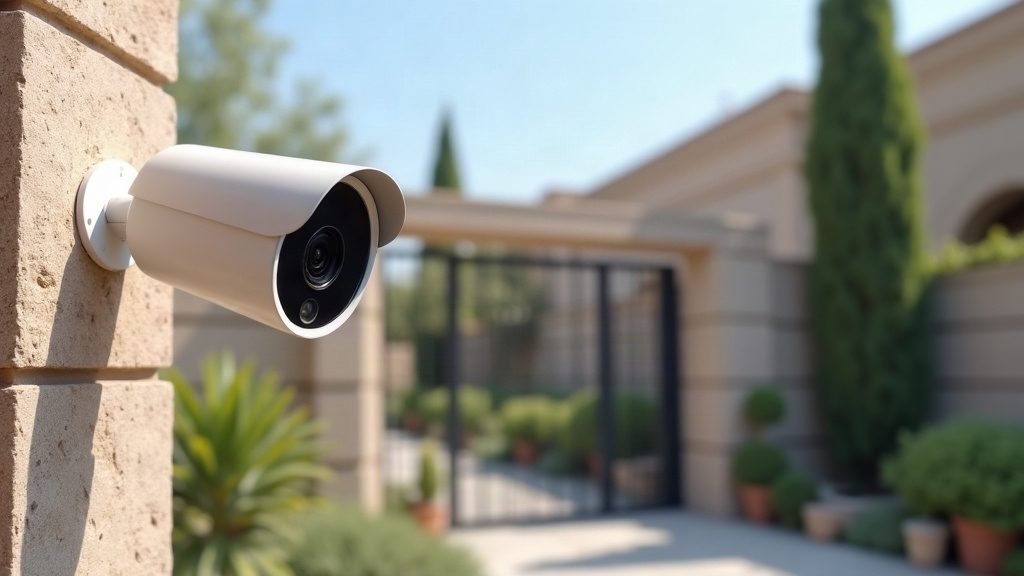
In short
- Kits come in three forms: a Wi-Fi set with a memory card, IP cameras with a PoE recorder, and a turnkey system with installation.
- The box usually lacks cable, connectors, a UPS and often a hard drive — put them in the quote from the start.
- A house or a shop up to 100 m² usually needs 4–5 cameras; choose an 8-channel recorder for headroom.
- 4 MP cameras are the sweet spot; a 2.8 mm lens identifies faces up to about 5 metres; two weeks of archive for 4 cameras needs a 2 TB drive.
- A turnkey 4-camera 4 MP system costs about 5.35 million UZS at 02.11.2026 prices; work is under a 3-year warranty.
What kinds of kits there are
Three different things are sold as a “CCTV kit”. The first is a boxed Wi-Fi set: two cameras that record to a memory card and connect to a phone app. The second is a set of IP cameras and a network recorder with PoE ports: the cameras connect with a single cable and recording goes to a hard drive. The third is a turnkey kit: the same hardware plus cable, mounts, installation and phone viewing set up for you.
The difference is not only price. A box suits a flat or a small outlet that needs two cameras and no cable runs. A private house with a yard, a shop or an office needs a system with a recorder: it is more stable, handles more cameras and keeps the archive separate from the cameras, so the footage survives if a camera is taken down or damaged.
What is in the box — and what is not
A Hikvision NKS-series Wi-Fi set contains two 2 or 4 MP cameras, power adapters and mounts; there is no recorder, and footage goes to a microSD card of up to 512 GB, usually bought separately. A recorder set contains cameras and a recorder, but often no hard drive: it is chosen for the archive depth you need.
The box almost never includes cable and connectors, junction boxes, trunking, an uninterruptible power supply for the recorder or an internet connection. Yet these items decide whether the system works a year later as well as on the day it was installed, so they belong in the quote from the start rather than as later purchases.
Wi-Fi or cable with PoE
A Wi-Fi camera goes up quickly, but it is “wireless” only for the signal: every camera still needs a socket or a power cable. The signal weakens through concrete walls and with distance from the router, and with several cameras the network starts to lag. It is a good choice for 1–2 cameras in a flat or small office.
PoE delivers power over the same twisted-pair cable that carries the video. One cable up to 100 metres gives the camera both network and power, and a recorder with built-in PoE ports, such as the 8-camera Hikvision DS-7108NI-Q1/8P, powers them itself. Such a system does not depend on Wi-Fi, is easy to extend, and the cameras run as long as the recorder does. This is what we install for houses with yards, shops and offices.
How many cameras a house needs
Cameras are counted not by area but by the zones where things happen. A typical set for a private house: the gate or wicket — a camera at face height to see who has come; the front door; the yard and parking spot; the back yard or blind side of the house where someone could climb the fence. That is 4–5 cameras.
A camera above the gate right under the roof shows the top of a head, not a face, so the identification camera is mounted at 2–2.5 metres and no more than 4–5 metres from where a person stops. An overview camera for the yard, by contrast, goes higher to see the whole area. The recorder is chosen with spare channels: 8 channels for 4–5 installed cameras, so a camera for the street or garage can be added later without replacing hardware.
How many cameras a shop and an office need
A shop up to 100 m² usually needs 4–5 cameras: the entrance — with every visitor’s face; the till — a camera above to see the cashier’s hands, banknotes and the screen; the sales floor — one or two overview cameras; the staff entrance or stockroom, where goods most often go missing. If there are several sales rooms, each is counted separately.
In an office, cameras cover the entrance and reception, corridors, the cash desk or accounts, and the server room. Cameras in staff offices are a separate matter: under personal data law people must be informed about filming, and cameras are not placed where privacy is expected. More on this in our article on video surveillance and personal data.
2 or 4 MP, and which lens
For a home or shop, 4 MP cameras are the sweet spot: the price gap to 2 MP is small, while the extra detail when zooming into footage is noticeable. 2 MP is enough for a corridor or warehouse where you only need to see that movement happened. 8 MP cameras are rarely needed: they double the archive size and require a more powerful recorder and drive.
A 2.8 mm lens gives a wide view of about 100 degrees, but it identifies a face reliably only up close: according to manufacturer tables for a 4 MP camera, up to about 5 metres. For a long yard or driveway, a 4–6 mm or varifocal lens is used. At night lighting decides: on mass-market outdoor cameras infrared reaches 20–30 metres, and if you need colour at night, choose colour night vision cameras — we covered them in a separate article.
Storage: how many days a drive will hold
Archive size depends on the number of cameras, resolution and what happens in the frame. A 4 MP camera with H.265 compression records 2–4 Mbit/s — 20–45 GB per day. Four such cameras use 85–175 GB per day, so a 1 TB drive holds roughly 6–12 days and a 2 TB drive 11–23 days. The smart H.265+ codec and motion recording stretch the archive, but it is unwise to count on maximum savings.
For a home or shop a sensible minimum is two weeks of archive: a theft or dispute is often discovered days later. For 4 cameras that means a 2 TB drive; for 8 cameras for a month, 6–8 TB. The drive should be a surveillance model such as Seagate SkyHawk, built for round-the-clock recording. A detailed calculation with a table is in our article on sizing a hard drive.
What a 4-camera kit with installation costs
An example at our catalogue prices on 2 November 2026: four outdoor Hikvision DS-2CD1043G2-I 4 MP IP cameras rated IP67 with EXIR night lighting — 4 × 469,900 = 1,879,600 UZS; a Hikvision DS-7108NI-Q1/8P 8-channel PoE recorder — 828,900; a Seagate SkyHawk 2 TB drive — 951,900; 80 metres of twisted-pair cable — 487,200. Hardware: 4,147,600 UZS.
Labour at our rates: mounting four outdoor cameras — 720,000, commissioning — 308,000, phone viewing set-up — 170,000; total 1,198,000. The whole turnkey system comes to about 5.35 million UZS, or about 5.1 million with a 1 TB drive. A two-camera Wi-Fi set starts at 1,286,900 UZS without installation. Prices change; cable depends on distances on site.
Ready-made kits for home, shop, office and warehouse with starting prices are collected in our Kits section. We give a 3-year warranty on our work, and 1 to 3 years on hardware under the manufacturer’s warranty. To have a kit calculated for your site, leave a request on our CCTV page — we return a quote within one business day.
Product from this article
- Hikvision DS-2CD1043G2-I 4 MP outdoor IP camera (IP67, EXIR)Price and specifications in the catalog →
- Hikvision DS-7108NI-Q1/8P 8-channel PoE NVRPrice and specifications in the catalog →
- Seagate SkyHawk 2 TB surveillance hard drivePrice and specifications in the catalog →
- Hikvision NKS424W0H Wi-Fi CCTV kit (2 × 4 MP cameras)Price and specifications in the catalog →
FAQ
Can I install a kit myself?
A Wi-Fi set, yes — a socket and the app are enough. A recorder system is possible too, but the real work is running cable, crimping connectors, aiming cameras correctly and setting up recording and phone access; whether faces are visible and the archive is kept depends on it.
Can I add cameras later?
Yes, if the recorder has spare channels. That is why an 8-channel recorder is chosen for 4–5 cameras: new cameras connect without replacing the core.
Does CCTV work without internet?
Yes, recording to the recorder works without internet. Internet is needed only for phone viewing and notifications.
What happens during a power cut?
Without backup power the system shuts down and recording stops. The recorder and PoE cameras are connected through an uninterruptible power supply, so they keep running during outages.
Can several people view the cameras?
Yes, the Hik-Connect app can give access to several phones, each with its own rights: some see only certain cameras live, others the archive too.
What warranty does the kit have?
3 years on our work, and 1 to 3 years on hardware under the warranty of the specific model’s manufacturer.
Installation works cost calculator
Set the number of points — the calculator shows the price range from our standard price list. One minute, no phone calls.
Read also

Related services
Catalog on the topic